13. Using Espresso to Test a Fragment
L5 P3 A09 Using Espresso To Test A Fragment
Time to write an Espresso test.
Step 1: Turn off Animations
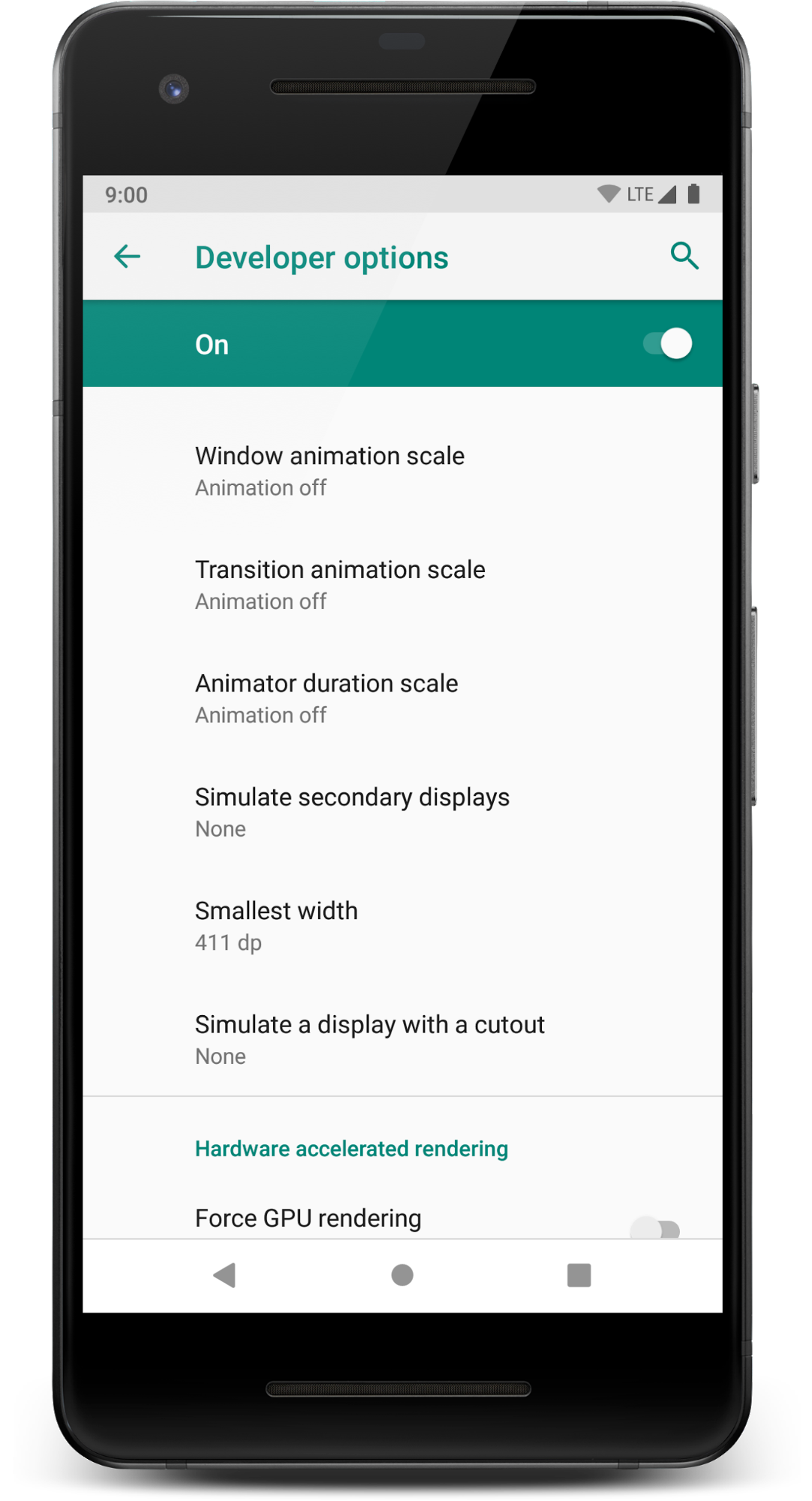
For Espresso UI testing, it's best practice to turn animations off (also your test will run faster!):
- On your testing device, go to Settings > Developer options.
- Disable these three settings: Window animation scale, Transition animation scale and Animator duration scale:
Step 2: Add an Espresso Test
The majority of espresso statements are made up of four parts:
Let's examine the full test.
- Open
TaskDetailFragmentTest.kt. - Update the
activeTaskDetails_DisplayedInUitest:
TaskDetailFragmentTest.kt
    @Test
    fun activeTaskDetails_DisplayedInUi() = runBlockingTest{
        // GIVEN - Add active (incomplete) task to the DB
        val activeTask = Task("Active Task", "AndroidX Rocks", false)
        repository.saveTask(activeTask)

        // WHEN - Details fragment launched to display task
        val bundle = TaskDetailFragmentArgs(activeTask.id).toBundle()
        launchFragmentInContainer<TaskDetailFragment>(bundle, R.style.AppTheme)

        // THEN - Task details are displayed on the screen
        // make sure that the title/description are both shown and correct
        onView(withId(R.id.task_detail_title_text)).check(matches(isDisplayed()))
        onView(withId(R.id.task_detail_title_text)).check(matches(withText("Active Task")))
        onView(withId(R.id.task_detail_description_text)).check(matches(isDisplayed()))
        onView(withId(R.id.task_detail_description_text)).check(matches(withText("AndroidX Rocks")))
        // and make sure the "active" checkbox is shown unchecked
        onView(withId(R.id.task_detail_complete_checkbox)).check(matches(isDisplayed()))
        onView(withId(R.id.task_detail_complete_checkbox)).check(matches(not(isChecked())))
    }
Here are the import statements if needed:
import androidx.test.espresso.Espresso.onView
import androidx.test.espresso.assertion.ViewAssertions.matches
import androidx.test.espresso.matcher.ViewMatchers.isChecked
import androidx.test.espresso.matcher.ViewMatchers.isDisplayed
import androidx.test.espresso.matcher.ViewMatchers.withId
import androidx.test.espresso.matcher.ViewMatchers.withText
import org.hamcrest.core.IsNot.not
Everything after the // THEN comment uses Espresso.
- Run the test and confirm it passes.